On this page
How to count characters with and without spaces
The character counter works for any app, including Instagram, TikTok, X, YouTube and WhatsApp. Paste or type your text in the box above and it updates on every keystroke: characters with spaces, characters without spaces, words, lines, sentences and paragraphs. Nothing is sent to a server; the counting happens in your browser.
- Paste your caption, bio, message or essay into the box.
- Read Characters for the total including spaces, and No spaces for letters, digits, symbols and emoji only.
- Check the Fits in… bars to see whether the text fits a common post or field.
- Tap Copy to copy all the numbers as a short report.
| Number | What it counts |
|---|---|
| Characters | Everything you see as one character, including spaces and line breaks |
| No spaces | The same count with spaces, tabs and line breaks removed |
| Words | Groups of characters separated by spaces or line breaks |
| Code points | Unicode code points, the unit many programs store |
| UTF-16 units | What JavaScript’s length and many web forms measure |
| Lines, sentences, paragraphs | Line breaks, text ending in . ! or ?, and blocks separated by an empty line |
How emoji and special characters are counted
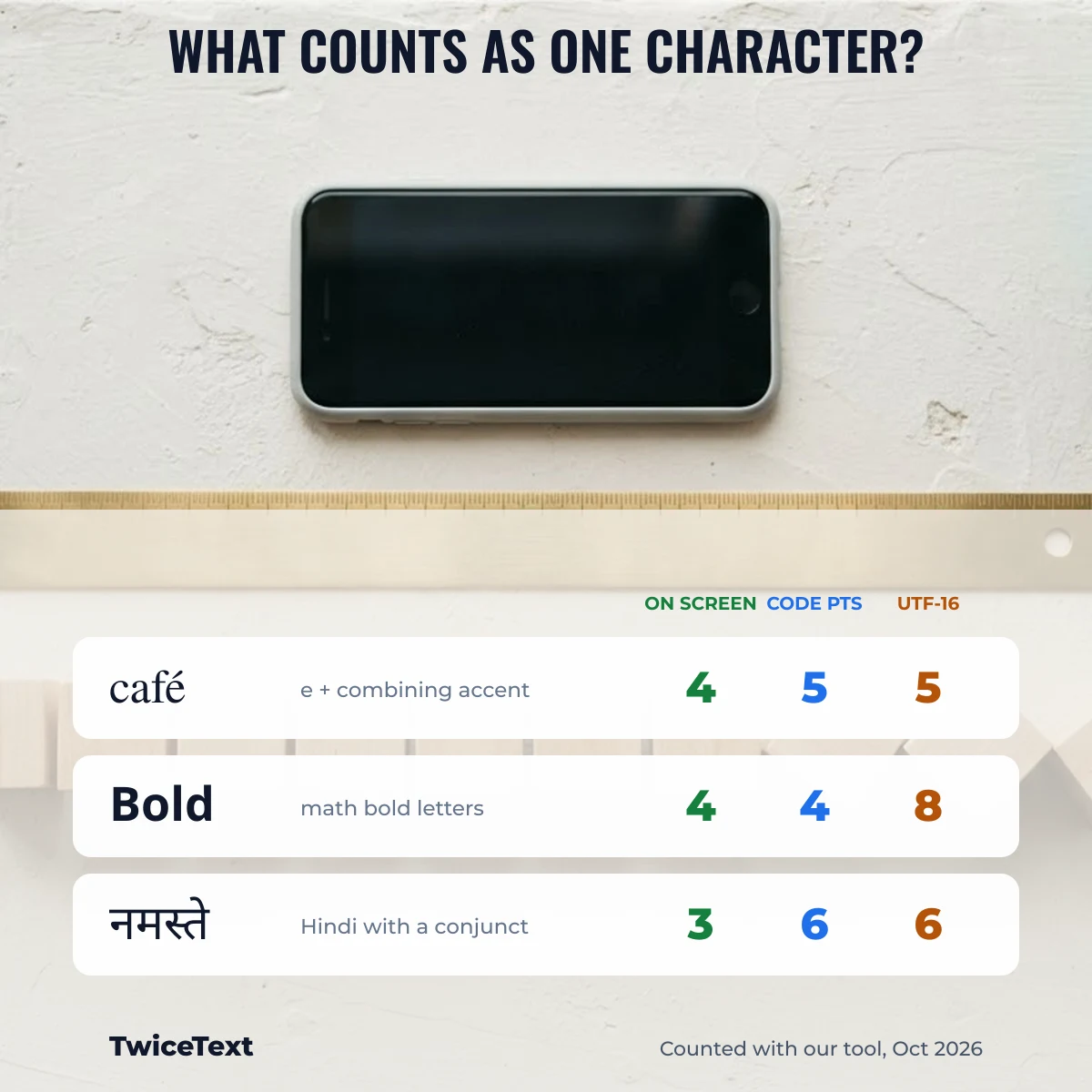
This tool counts “Characters” as graphemes: what a reader sees as one character. A thumbs-up with a skin tone (👍🏽) or a flag (🇮🇳) is 1 character here, even though it is built from 2 Unicode code points and takes 4 UTF-16 units. We use the browser’s built-in Intl.Segmenter to find those boundaries.
We ran these samples through our own counter on October 1, 2026 (Chrome, desktop). The numbers below are exactly what the tool shows:
| Text | What it is | Characters | Code points | UTF-16 units |
|---|---|---|---|---|
| Hello world | plain text | 11 | 11 | 11 |
| café | é typed as one letter | 4 | 4 | 4 |
| café | e + combining accent (U+0301) | 4 | 5 | 5 |
| 😀 | one emoji | 1 | 1 | 2 |
| 👍🏽 | emoji + skin tone | 1 | 2 | 4 |
| 🇮🇳 | flag (two regional letters) | 1 | 2 | 4 |
| 👨👩👧 | family emoji joined by ZWJ | 1 | 5 | 8 |
| 𝐁𝐨𝐥𝐝 | fancy bold letters | 4 | 4 | 8 |
| नमस्ते दुनिया | Hindi, two words | 7 | 13 | 13 |
Two lines of “café” look identical but count differently in code points, because the second one is stored as a plain “e” followed by a separate accent mark. Keyboards on phones and computers usually produce the one-letter form, but text copied from PDFs or some apps can contain the two-part form.
Special characters you type with Alt codes or a phone’s symbol keyboard, such as ₹, ©, ✓ or →, are single code points and count as 1 character everywhere. Fancy letters such as 𝐁 are also 1 character on screen, but each uses 2 UTF-16 units, so a form that measures UTF-16 will see a 4-letter fancy word as 8.
Keyboard symbols and how they count
Every symbol in this table is a single Unicode code point, so it counts as exactly 1 character, 1 code point and 1 UTF-16 unit, here and on X. Select a symbol to copy it, or type it with the shortcut: Alt codes need the numeric keypad on Windows; the Mac shortcuts are for the US keyboard layout.
| Symbol | Name | Code point | Windows | Mac |
|---|---|---|---|---|
| © | Copyright | U+00A9 | Alt+0169 | Option+G |
| ® | Registered | U+00AE | Alt+0174 | Option+R |
| ™ | Trade mark | U+2122 | Alt+0153 | Option+2 |
| ° | Degree | U+00B0 | Alt+0176 | Option+Shift+8 |
| ± | Plus-minus | U+00B1 | Alt+0177 | Option+Shift+= |
| × | Multiplication | U+00D7 | Alt+0215 | Character Viewer |
| ÷ | Division | U+00F7 | Alt+0247 | Option+/ |
| € | Euro | U+20AC | Alt+0128 | Option+Shift+2 |
| £ | Pound | U+00A3 | Alt+0163 | Option+3 |
| ¥ | Yen | U+00A5 | Alt+0165 | Option+Y |
| µ | Micro | U+00B5 | Alt+0181 | Option+M |
| ¼ | One quarter | U+00BC | Alt+0188 | Character Viewer |
| ₹ | Indian rupee | U+20B9 | Win + . (symbols) | Character Viewer |
| ✓ | Check mark | U+2713 | Win + . (symbols) | Character Viewer |
| → | Right arrow | U+2192 | Win + . (symbols) | Character Viewer |
| ∞ | Infinity | U+221E | Win + . (symbols) | Option+5 |
Character limits for common posts (official sources)
The bars under the counter compare your text with limits that each platform publishes in its own help pages. We only list a limit when we could read it on an official page; each was checked on October 1, 2026.
| Where | Limit | Official source (checked Oct 2026) |
|---|---|---|
| X (Twitter) post | 280 characters; each emoji counts as 2 and every link as 23 | X developer docs: Counting characters |
| Instagram bio | 150 characters | Instagram Help Center: Add a bio |
| YouTube video title | 100 characters | YouTube Help Center, “Edit video settings” |
| YouTube video description | 5,000 characters | YouTube Help Center, “Edit video settings” |
| LinkedIn post | 3,000 characters | LinkedIn Help: Posting updates vs publishing articles |
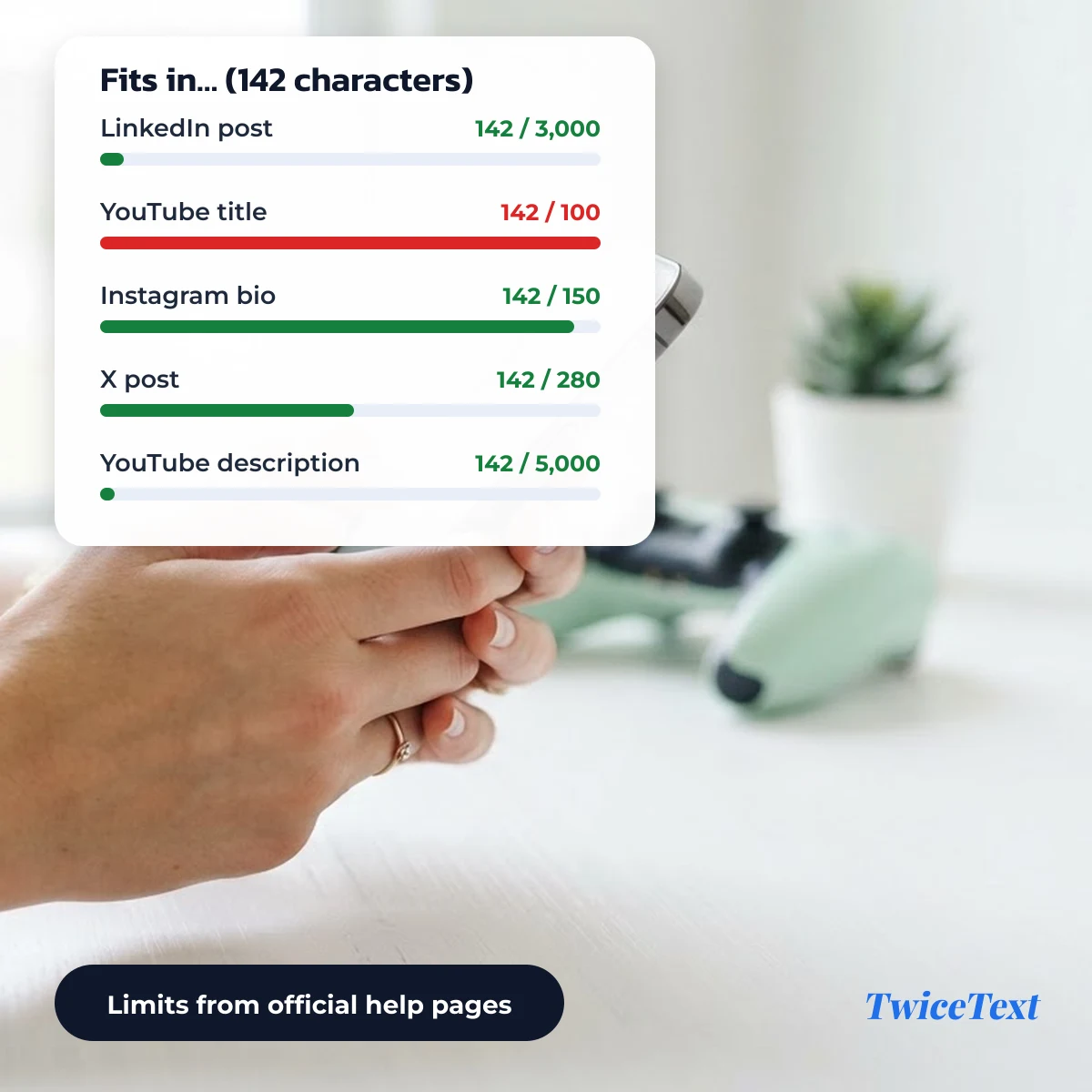
The bars use the “Characters” number. X counts emoji as 2 and links as 23, so for an X post with emoji or links, leave a few characters spare. We have not found an official page that states the Instagram caption or TikTok caption length, so we don’t show a bar for them.
Character counter for Instagram
For an Instagram bio, keep the Characters number at 150 or below; Instagram’s Help Center gives that limit for bios. Instagram also caps hashtags at 30 per post, a rule that counts tags, not characters. Fancy letters and emoji in a bio each show as one character here.
Character count in Google Docs
Google Docs has its own counter: open Tools → Word count or press Ctrl+Shift+C, and tick “Display word count while typing” to keep it on screen. According to the Google Docs Editors Help article “Count the words in a document”, it counts everything except headers, footers and footnotes unless you select text. To check one paragraph or a draft without a document, paste it into the box above instead.
Why your count differs from another app
Character counts differ between apps because they measure different units. A tool that counts code points or UTF-16 units will give a higher number than this counter for emoji, flags, accented letters typed in two parts and Hindi or other Indic scripts.
- Graphemes vs code points: 👨👩👧 is 1 grapheme but 5 code points.
- UTF-16: web forms that use JavaScript
lengthcount 😀 as 2. - Weighted counting: X counts emoji and Chinese, Japanese and Korean characters as 2, and links as 23.
- Line breaks: some Windows apps store a line break as two characters (carriage return + line feed); this tool counts it as one.
- Normalization: X counts text in Unicode NFC form, so a two-part “é” is counted as one.
Writing longer text such as an essay? The word counter adds the most used words and reading time. To fill a field with the same line many times, use the TwiceText text repeater.
Character counter FAQ
Do spaces count as characters?
Yes. Spaces, tabs and line breaks are characters, and most platform limits include them. Use the “No spaces” number when an assignment asks for characters without spaces.
Does an emoji count as one or two characters?
On screen and in this tool, one emoji is one character, even a family or flag emoji. In code-point or UTF-16 counts it can be 2 to 8, and X counts every emoji as 2.
How many characters can an X post have?
A standard X post can have 280 characters, with emoji counted as 2 and each link as 23, according to the X developer documentation.
How many characters can an Instagram bio have?
An Instagram bio can be up to 150 characters, according to the Instagram Help Center.