On this page
Count words, sentences, paragraphs and reading time
Paste your text above and the word counter shows words, sentences, paragraphs, lines, characters and an estimated reading and speaking time, updating as you type. Everything is counted in your browser, so drafts, assignments and private notes never leave your device.
| Number | How this tool counts it |
|---|---|
| Words | Every group of characters between spaces or line breaks |
| Sentences | Text that ends with a full stop, question mark or exclamation mark, plus an unfinished last sentence |
| Paragraphs | Blocks of text separated by an empty line |
| Read / speak | Words ÷ 200 per minute for silent reading; words ÷ 130 per minute for speaking |
| Most used words | Each word’s count and share of all words, with an option to hide common words |
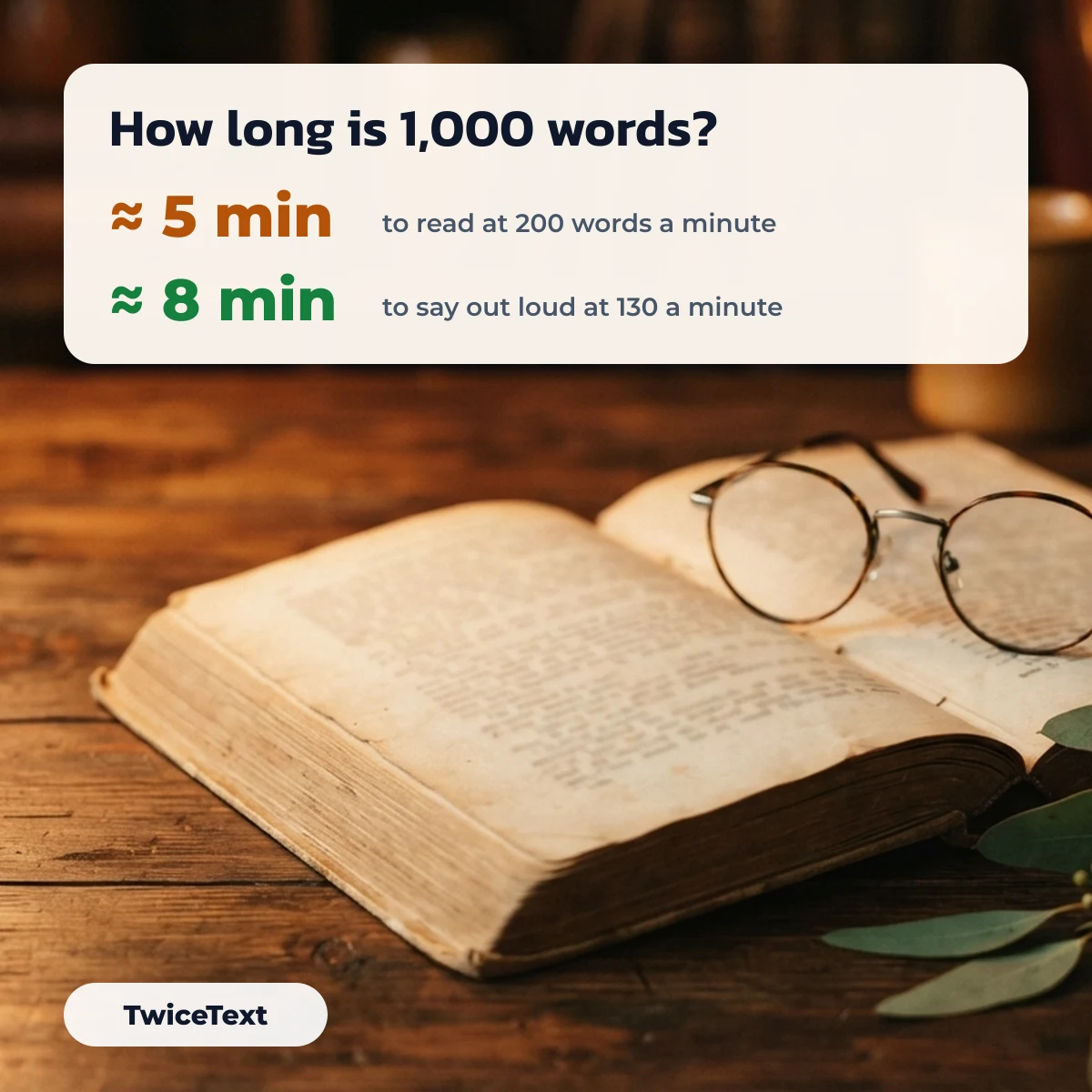
How long does it take to read 1,000 words?
At 200 words a minute, 1,000 words take about 5 minutes to read silently and about 8 minutes to read aloud at 130 words a minute. These are the averages our counter uses; a fast reader or a technical text will change the result, so treat it as a guide for speeches, scripts and blog posts.
| Words | Read (200 wpm) | Speak (130 wpm) |
|---|---|---|
| 250 | 1 min | 2 min |
| 500 | 2 min | 4 min |
| 1,000 | 5 min | 8 min |
| 1,500 | 8 min | 12 min |
| 2,000 | 10 min | 15 min |
How Word and Google Docs count words differently
Microsoft Word, Google Docs and this tool can give slightly different word counts for the same text, because each decides differently what to include. Google Docs, for example, leaves out headers, footers and footnotes unless you select them, according to the Google Docs Editors Help article “Count the words in a document”.
- Microsoft Word: the count is in the status bar at the bottom; if it is missing, right-click the status bar and choose Word Count (Microsoft Support). Click it to see characters, paragraphs and lines.
- Google Docs: Tools → Word count, or Ctrl+Shift+C; tick “Display word count while typing” to keep a live count.
- This tool: counts exactly the text you paste, with nothing hidden, so it is useful for checking one section or text copied from anywhere.
We tested how our own counter treats tricky cases on October 1, 2026. A side-by-side test against Word and Google Docs has not been done yet, so we only report our tool’s numbers:
| Text | Words | Why |
|---|---|---|
| well-known | 1 | A hyphenated word counts as one word |
| they're | 1 | Apostrophes stay inside the word |
| Yes — maybe | 3 | A dash with spaces around it counts as a word |
| yes—maybe | 1 | The same dash without spaces joins the words |
| U.S. history | 2 | Abbreviations with dots stay one word |
| मेरा नाम राज है | 4 | Hindi and other scripts that use spaces count normally |
| ¿Qué tal, amigo? | 3 | Punctuation sticks to the word next to it |
| 🙂 ok 🙂 | 3 | Emoji separated by spaces count as words |
Punctuation that changes the word count
Dashes, bullets and quote marks decide whether two pieces of text are one word or two. This is how our counter treats the marks writers use most; select one to copy it, or type it with the shortcut (Windows Alt codes need the numeric keypad; Mac shortcuts are for the US layout).
| Mark | Name | Windows | Mac | Effect on the word count |
|---|---|---|---|---|
| — | Em dash | Alt+0151 | Option+Shift+- | Counts as a word only when it has spaces on both sides |
| – | En dash | Alt+0150 | Option+- | Same as the em dash |
| … | Ellipsis | Alt+0133 | Option+; | Sticks to the word before it |
| “ | Left double quote | Alt+0147 | Option+[ | Sticks to the next word |
| ” | Right double quote | Alt+0148 | Option+Shift+[ | Sticks to the word before it |
| ‘ | Left single quote | Alt+0145 | Option+] | Sticks to the next word |
| ’ | Apostrophe / right single quote | Alt+0146 | Option+Shift+] | Stays inside words like they’re |
| • | Bullet | Alt+0149 | Option+8 | A bullet followed by a space counts as a word |
| ¶ | Pilcrow | Alt+0182 | Option+7 | Counts as a word when on its own |
| § | Section sign | Alt+0167 | Option+6 | “§ 5” is 2 words, “§5” is 1 |
| ½ | One half | Alt+0189 | Character Viewer | “2½ cups” is 2 words |
Keyword density for a draft
Keyword density is how often a word appears, divided by the total number of words. The Most used words panel under the counter lists your top words with their count and percentage, so you can spot a word you have repeated too often before you publish.
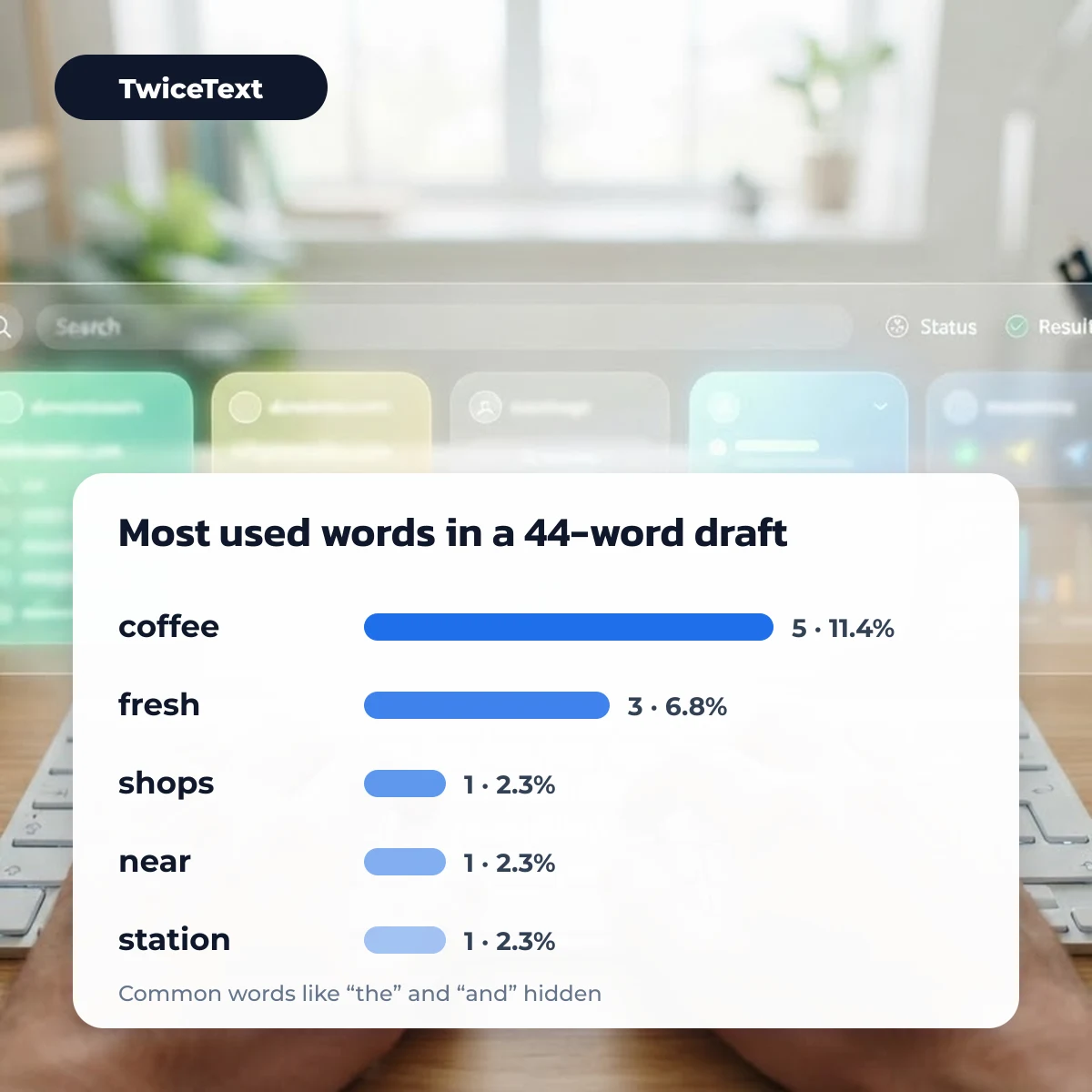
Example: in this 44-word draft, “coffee” appears 5 times (11.4%) and “fresh” 3 times (6.8%) once common words are hidden:
Coffee shops near the station open early. Our coffee is roasted fresh every week, and the coffee beans come from small farms. Fresh bread, fresh juice and good coffee make the morning better. Visit the shop before work and try the new coffee blend.
There is no official “right” density. If one word stands far above the rest, read the text aloud; if it sounds repetitive, swap a few uses for synonyms or pronouns.
Word counter for PDF, Hindi and other languages
To count words in a PDF, select the text in your PDF reader, copy it and paste it into the box above. Scanned PDFs contain pictures of text, not text, so they need OCR first; if pasting gives nothing, that is usually why.
The counter works for Hindi, Spanish, French and any language that separates words with spaces. Languages written without spaces, such as Chinese, Japanese and Thai, will show far fewer “words” than they really have; use the character counter for those, since characters are the usual measure there.
Need the same sentence repeated for a practice sheet? The TwiceText text repeater copies it as many times as you need.
Word counter FAQ
Does a hyphenated word count as one?
Yes. In this tool a hyphenated word such as “well-known” or “part-time” counts as one word, because there is no space inside it.
How long does it take to read 1000 words?
About 5 minutes at an average silent reading speed of 200 words a minute, or about 8 minutes when read aloud at 130 words a minute.
Is there a word counter in Microsoft Word?
Yes. Word shows the word count in the status bar at the bottom of the window. If it is hidden, right-click the status bar and choose Word Count.
How do I turn on the word counter in Google Docs?
Open Tools, then Word count, and tick “Display word count while typing”. The live count then stays in the bottom-left corner.