On this page
- How to use the fancy text generator
- Fancy font styles you can copy, with their Unicode blocks
- Bold text generator: serif and sans-serif bold
- Fancy text with emoji and symbols
- Ready-made fancy text for everyday messages
- Where fancy text works, and where it doesn’t
- Before you use fancy text: screen readers and search
- Fancy text FAQ
How to use the fancy text generator
To make fancy text, type a short phrase of 2 to 40 characters in the box above and tap Style it. TwiceText returns more than 130 styled versions in groups, and one tap on any of them copies it to your clipboard, ready to paste.
- Type or paste your phrase on one line, for example your name or a caption.
- Tap Style it (or press Enter on a keyboard).
- Switch between groups such as Fancy fonts, Text effects, Cute & aesthetic and Kaomoji.
- Tap a style to copy it, then paste it into your bio, caption, chat or display name.
- Tap New mix for a fresh set of decorations around the same words.
The styles are built for short phrases. A long paragraph in a fancy alphabet is hard to read on a phone, so keep it to a name, a heading or one line of a caption.
Fancy font styles you can copy, with their Unicode blocks
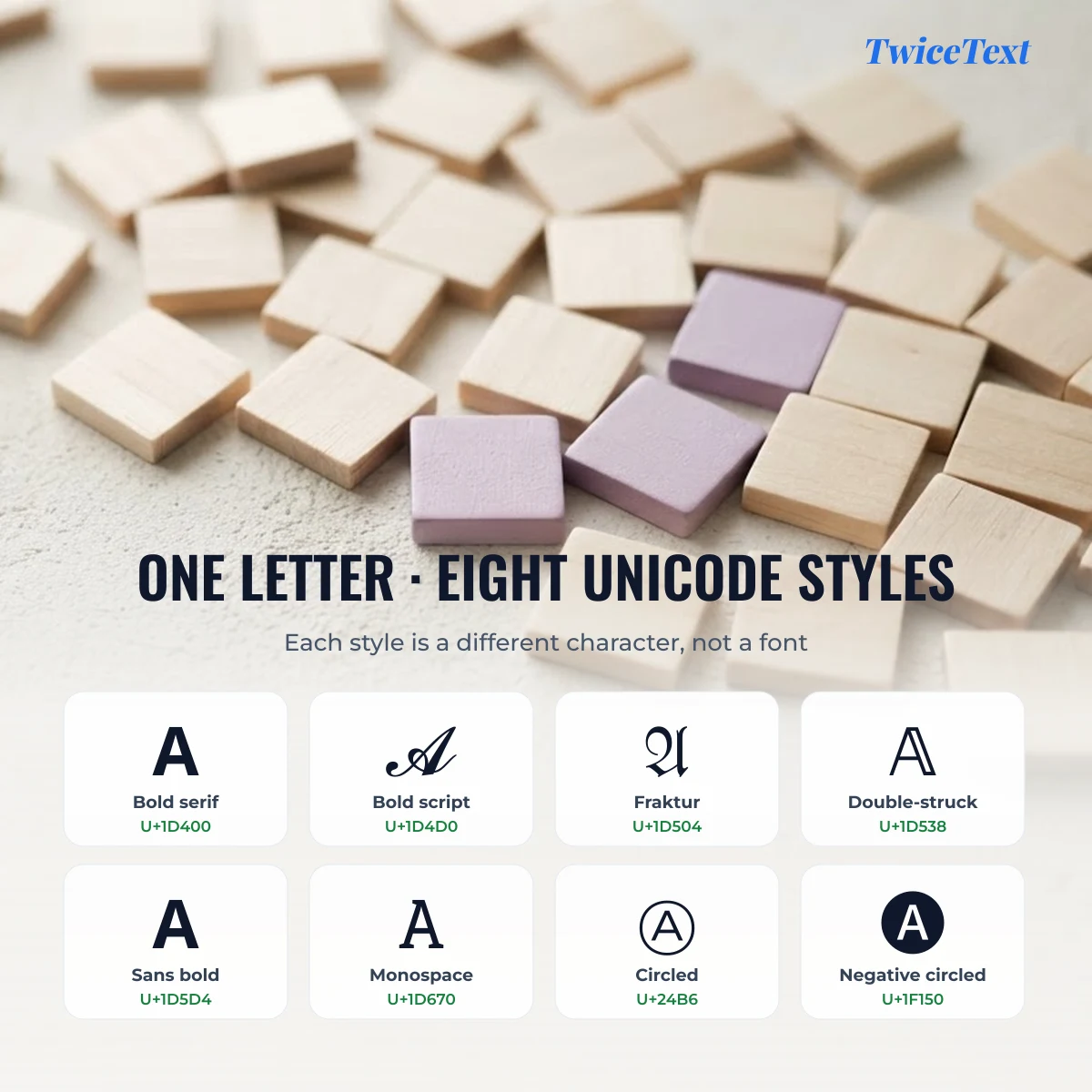
Every fancy style is a separate set of Unicode characters, not a font file. The bold 𝐀 is the character U+1D400 MATHEMATICAL BOLD CAPITAL A, so it keeps its look wherever you paste it, as long as the reader’s device has a font that covers it.
| Style | Example (tap to copy) | Unicode block | “A” is | Good for |
|---|---|---|---|---|
| Bold serif | Mathematical Alphanumeric Symbols | U+1D400 | Headlines, key words | |
| Italic serif | Mathematical Alphanumeric Symbols | U+1D434 | Quotes, soft emphasis | |
| Bold italic | Mathematical Alphanumeric Symbols | U+1D468 | Captions | |
| Bold script (cursive) | Mathematical Alphanumeric Symbols | U+1D4D0 | Names, aesthetic bios | |
| Script (cursive) | Math Alphanumeric + Letterlike Symbols | U+1D49C | Elegant names | |
| Fraktur (gothic) | Math Alphanumeric + Letterlike Symbols | U+1D504 | Gaming names, headers | |
| Double-struck (outline) | Math Alphanumeric + Letterlike Symbols | U+1D538 | Logos, titles | |
| Sans-serif bold | Mathematical Alphanumeric Symbols | U+1D5D4 | Clean bold on any app | |
| Monospace | Mathematical Alphanumeric Symbols | U+1D670 | Code-style lines | |
| Small caps | IPA Extensions, Phonetic Extensions, Latin Extended-D | U+1D00 | Subtle aesthetic names | |
| Circled (bubble) | Enclosed Alphanumerics | U+24B6 | Playful titles | |
| Negative circled | Enclosed Alphanumeric Supplement | U+1F150 | Loud labels | |
| Fullwidth (vaporwave) | Halfwidth and Fullwidth Forms | U+FF21 | Wide aesthetic text | |
| Superscript | Spacing Modifier Letters, Phonetic Extensions | U+1D2C | Tiny text | |
| Strikethrough | Combining Diacritical Marks (U+0336) | U+0041 | Jokes, “edits” | |
| Underline | Combining Diacritical Marks (U+0332) | U+0041 | Highlights |
Why a few letters look a little different
Some cursive, gothic and outline letters come from a different Unicode block, which is why they can look slightly off next to their neighbours. When the Mathematical Alphanumeric Symbols block was added, letters that already existed in the older Letterlike Symbols block were left out of it, and the old characters are used instead:
- Script: ℬ ℰ ℱ ℋ ℐ ℒ ℳ ℛ and ℯ ℊ ℴ
- Fraktur: ℭ ℌ ℑ ℜ ℨ
- Double-struck: ℂ ℍ ℕ ℙ ℚ ℝ ℤ
- Italic: ℎ (the Planck constant sign)
Our generator uses these correct characters, so a word like ℌ𝔢𝔩𝔩𝔬 never shows an empty box where the “H” should be. Many simple converters skip them and leave gaps.
Bold text generator: serif and sans-serif bold
Bold text for social media comes in two main shapes: serif bold (𝐁𝐨𝐥𝐝), which has small feet on the letters, and sans-serif bold (𝗕𝗼𝗹𝗱), which is plain and modern. Both are real characters, so they stay bold in places that have no formatting buttons, such as an Instagram bio or a TikTok caption.
Pick serif bold when you want a classic, “printed” look and sans-serif bold when the text should match the app’s own interface font. Numbers have bold versions too: 𝟏𝟐𝟑 and 𝟭𝟮𝟯.
Fancy text with emoji and symbols
To decorate fancy text with emoji, put a symbol group on each side of your styled words, for example ⋆˙⟡ 𝓢𝓪𝓻𝓪 ⟡˙⋆. Copy one of the groups below, paste it before and after your text, and you have a frame that fits a bio or a display name.
Sparkles
Stars
Hearts
Flowers
Butterflies
Moon and night
Crowns
Ready-made fancy text for everyday messages
These lines were made with the generator above, so you can copy them straight away. Each phrase has more versions in the tool: type it in and tap Style it.
Good Morning
Happy Birthday
Thank You
Good Night
Best Friends
Where fancy text works, and where it doesn’t
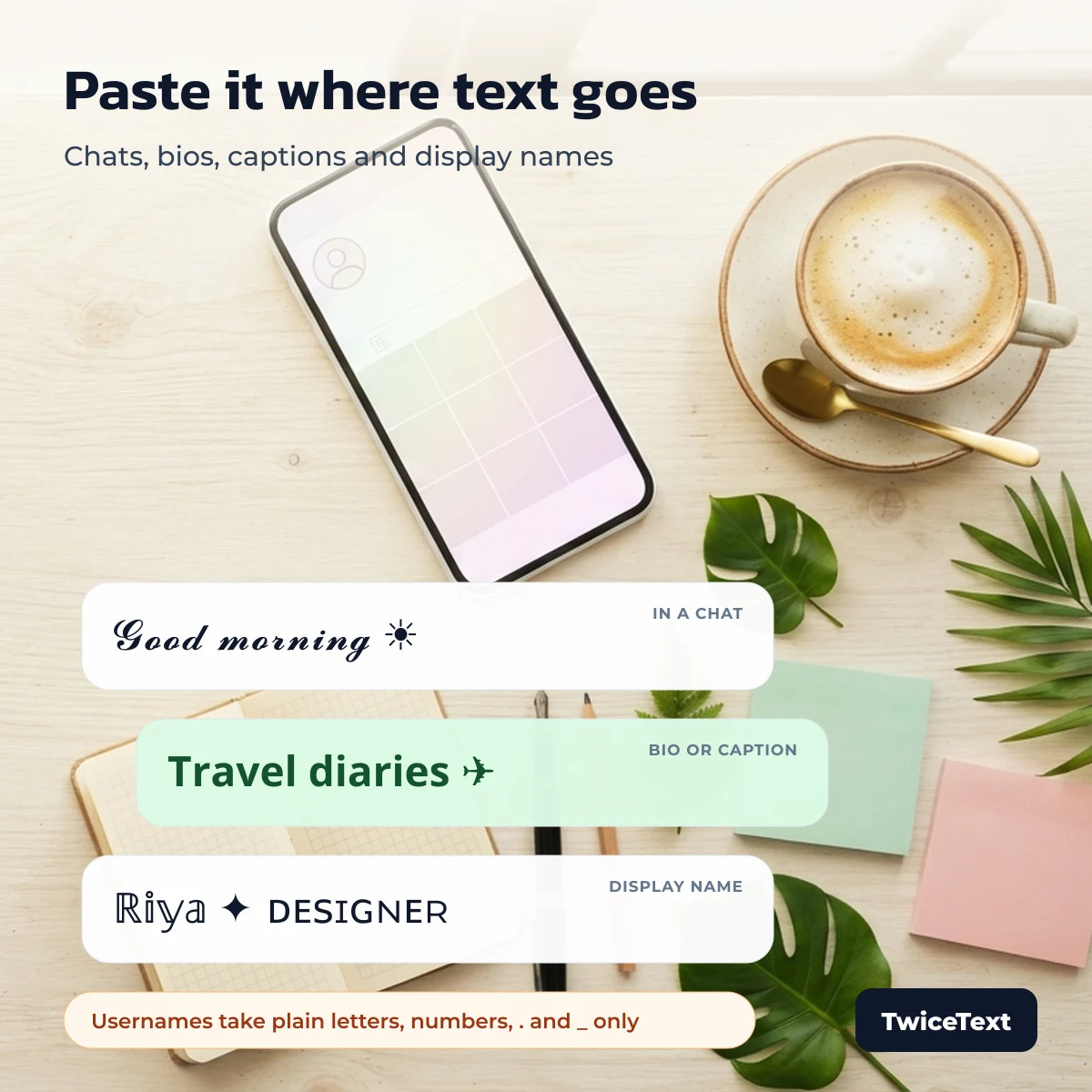
Fancy text works almost anywhere you can type free text: bios, captions, comments, chat messages and most display names. It does not work in usernames on Instagram, TikTok or X, because those only accept plain letters, numbers and a few signs.
| Where you paste | Fancy text? | Rule and source |
|---|---|---|
| Instagram username | No | Letters, numbers, periods and underscores (Instagram Help Center) |
| TikTok username | No | Letters, numbers, underscores and periods; no period at the end (TikTok Support) |
| X (Twitter) username | No | Letters, numbers and underscores (X Help Center) |
| Bio, caption, comment, chat message | Yes, as Unicode text | How it looks depends on the reader’s phone and fonts; we have not yet tested each app version |
| Display name (Instagram, TikTok, Discord, WhatsApp) | Usually yes | Apps can filter some symbols in names; not tested yet by our team, so check the preview before you save |
Tip: if a style shows empty boxes on someone’s phone, their device lacks a font for those characters. Bold, italic and small caps are the safest choices; rare symbols are the most likely to break.
Before you use fancy text: screen readers and search
Screen readers may spell fancy letters one by one or read their long Unicode names, such as “mathematical bold capital B”, so a whole bio in fancy text can be hard to follow for blind and low-vision readers. Search boxes inside apps also treat 𝐁𝐨𝐥𝐝 and Bold as different words.
- Keep your name, contact details and important words in plain text.
- Use fancy text for one decorative line or a single word.
- Don’t put fancy letters in hashtags: #𝐭𝐫𝐚𝐯𝐞𝐥 is not the same tag as #travel.
Want the same styled line many times, for a border or a cheer? Paste it into the TwiceText text repeater and choose how many copies you need.
Fancy text FAQ
Is fancy text a font?
No. Fancy text is made of special Unicode characters that look like styled letters. Because they are characters, not a font, the style travels with the text when you copy and paste it.
Can fancy text change the color of my text?
No. Unicode characters have no color of their own; the app decides the text color. Only emoji such as ❤️ or 🌸 show in color.
Can I use fancy text on WhatsApp?
Yes. You can paste fancy text into WhatsApp chats, your About line and your name. WhatsApp also has its own bold, italic and strikethrough formatting using symbols, which works differently from Unicode styles.
Why do some fancy letters show as boxes?
A box means the device has no font that includes that character. It is not a problem with the text itself; on another phone the same text may display correctly.