On this page
- WhatsApp formatting codes, from the WhatsApp Help Center
- How to use the WhatsApp format builder
- Formatting on your phone vs WhatsApp Web and desktop
- Why WhatsApp formatting is not working
- Ready-to-send formatted messages
- Emoji, symbols and kaomoji for WhatsApp messages
- Combine formatting with repeated text
- Bold or fancy text in your WhatsApp name and About
- WhatsApp formatting FAQ
WhatsApp formatting codes, from the WhatsApp Help Center
WhatsApp has eight text formatting codes: bold, italic, strikethrough, monospace, inline code, bulleted list, numbered list and quote. Each one is a symbol you type around or before your text. The table below follows the WhatsApp Help Center article “How to format your messages”, checked on October 1, 2026.
| Style | Type this | Shows as | Rule |
|---|---|---|---|
| Bold | *text* |
text | An asterisk on both sides |
| Italic | _text_ |
text | An underscore on both sides |
| Strikethrough | ~text~ |
A tilde on both sides | |
| Monospace | ```text``` |
text |
Three backticks on both sides |
| Inline code | `text` |
text |
One backtick on both sides |
| Bulleted list | * text or - text |
• text | Asterisk or hyphen, then a space, before each line |
| Numbered list | 1. text |
1. text | Number, period and space before each line |
| Quote | > text |
▎text | Angle bracket and a space before the text |
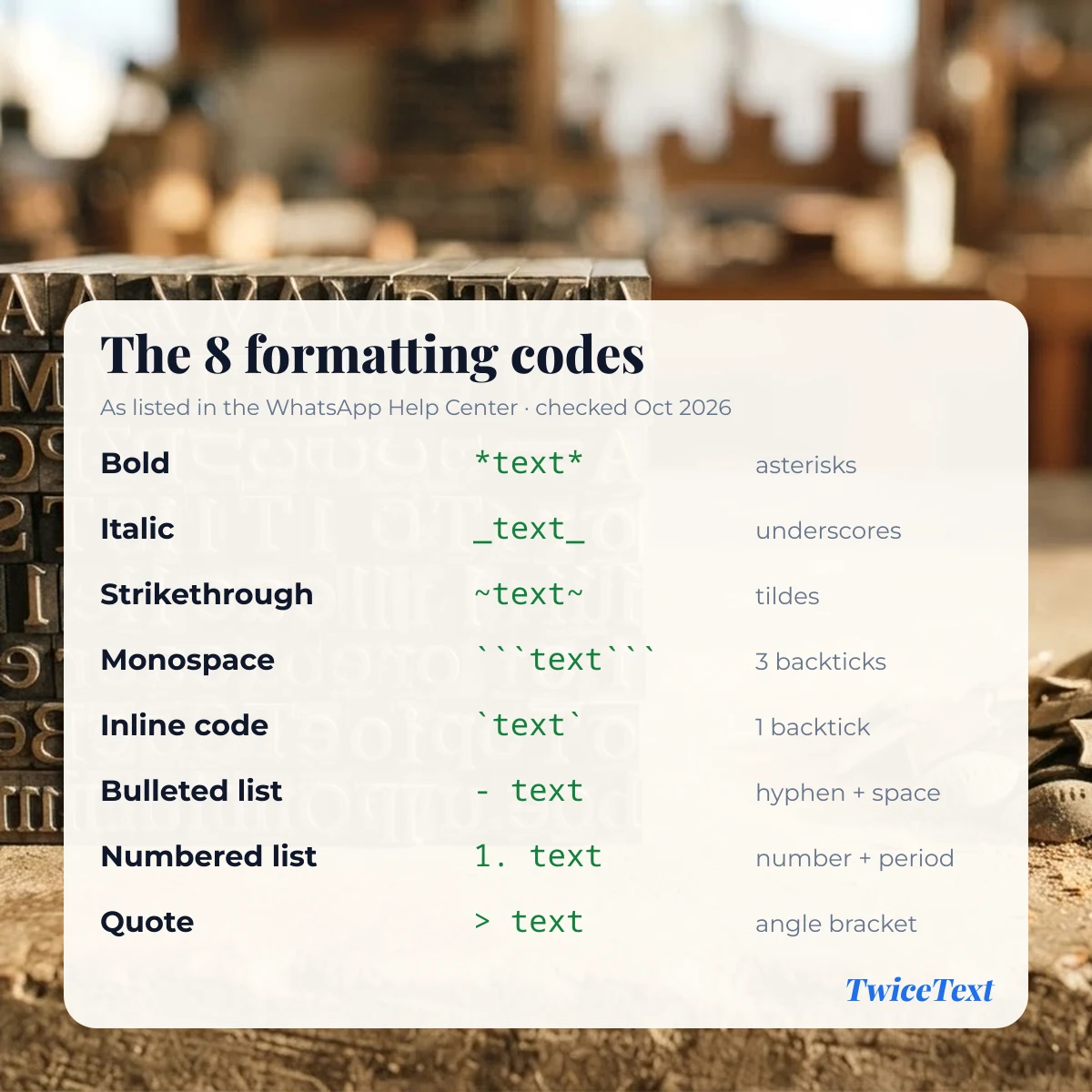
The Help Center also says there is no option to turn formatting off, and it adds a note that “new text formatting is only available on Web and Mac desktop”. Bold, italic, strikethrough and monospace are the long-standing codes; lists, quotes and inline code are the newer ones.
How to use the WhatsApp format builder
Type your message in the box at the top of this page, tap the styles you want and copy the result. TwiceText adds the markers for you, on every line, so you don’t have to hunt for the tilde or backtick key on a phone keyboard.
- Type or paste your message. Each line is formatted on its own.
- Tap one or more text styles: Bold, Italic, Strikethrough, Monospace or Inline code.
- Optionally tap Quote, Bulleted list or Numbered list to add a prefix to every line.
- Check the output, tap Copy and paste it into a WhatsApp chat.
When you pick two styles, the builder nests the markers, for example _*text*_ for bold italic. Empty lines and the spaces at the start or end of a line are left outside the markers, because a marker followed by a space is not treated as formatting.
Formatting on your phone vs WhatsApp Web and desktop
The typed symbols are the same everywhere: an *asterisk* pair makes bold text in a message whether you send it from a phone or a computer. The difference is in the shortcuts. On WhatsApp Web and desktop, the Help Center says you can double-click the text you typed and choose Bold, Italic, Strikethrough or Inline code from the menu.
On phones, the app can also offer formatting when you select text, but menus differ between app versions and we have not yet tested this on specific Android and iPhone versions. Typing the symbols, or copying a message from the builder above, works without any menu.
Why WhatsApp formatting is not working
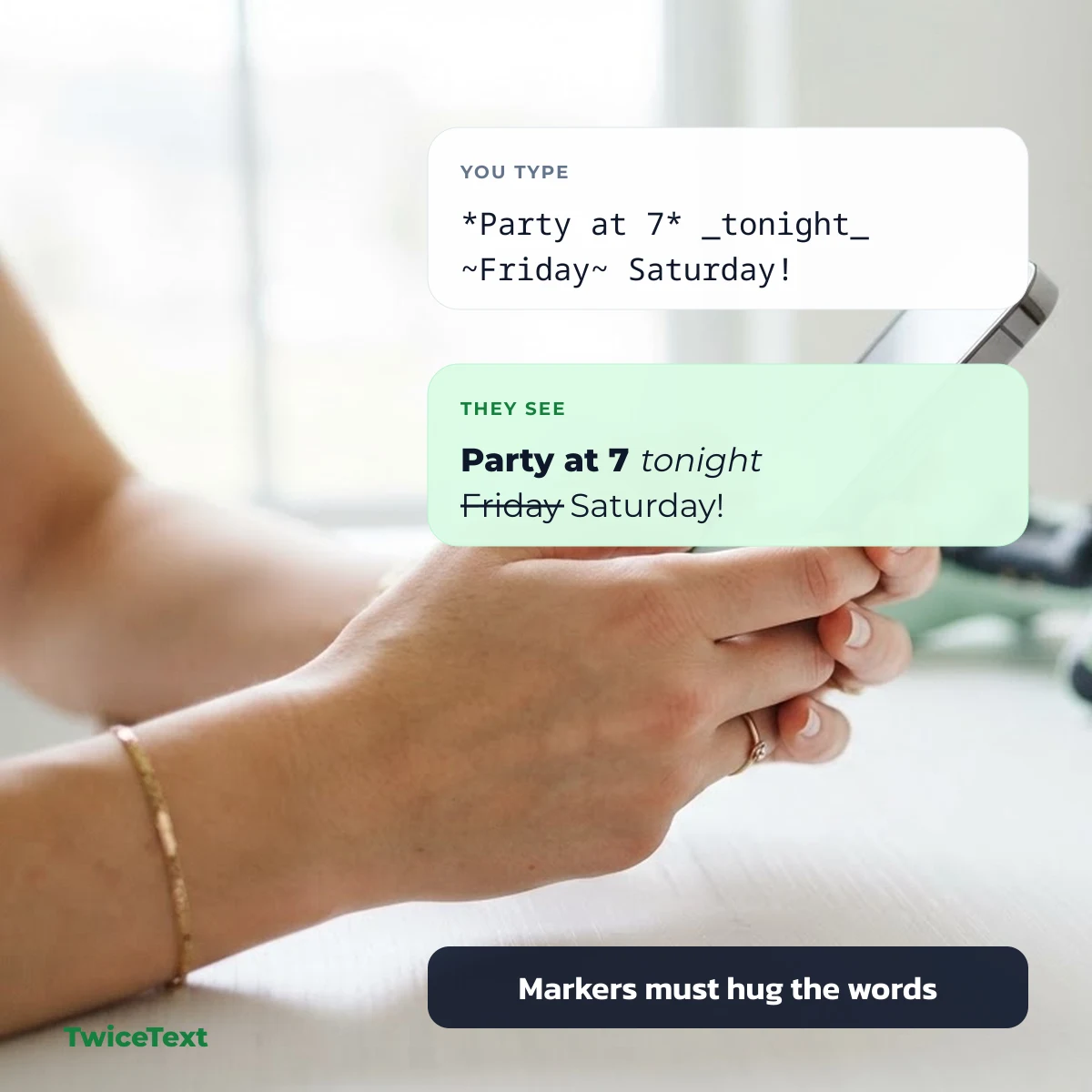
WhatsApp formatting usually fails because a marker does not touch the words it wraps. * bold * with spaces inside the asterisks stays as plain text, while *bold* turns bold. Check these points:
- No space after the opening marker and none before the closing one.
- Both markers present. A single
*or_is shown as a normal character. - Three backticks for monospace. One backtick on each side gives inline code, not monospace.
- Lists and quotes need a space after the
-,*,1.or>. - Update the app. Lists, quotes and inline code are newer; an older version may show the raw symbols.
- Formatting belongs to WhatsApp messages. The same symbols pasted into SMS or another app will appear as typed.
Ready-to-send formatted messages
Tap any message to copy it with the formatting codes already in place, then paste it into a WhatsApp chat and edit the details.
Emoji, symbols and kaomoji for WhatsApp messages
Formatting codes change how letters look; emoji and symbols add the decoration. Tap any item below to copy it, then paste it next to your formatted text. Note that only a hyphen or an asterisk followed by a space makes a real WhatsApp bulleted list; the symbols below are plain characters you can use as decorative bullets.
Bullets and arrows for lists
Check marks and pins
Party and celebration emoji
Happy kaomoji
Group name ideas in Unicode bold and cursive
Group names and profile names don’t use the asterisk codes, so these use Unicode letters that already look bold or cursive.
Combine formatting with repeated text
To repeat a formatted line, format it first, then repeat it. Copy a line such as *Happy Birthday!* 🎉 from the builder and paste it into the TwiceText text repeater, choose the number of copies and a New line separator, and every copy keeps its asterisks, so it arrives bold. Please keep repeated messages for friends who will enjoy them, not for strangers.
Bold or fancy text in your WhatsApp name and About
The formatting codes are meant for messages. For your profile name or About line, people often use Unicode letters that already look bold or cursive, such as 𝐁𝐨𝐥𝐝 or 𝓒𝓾𝓻𝓼𝓲𝓿𝓮, because they are characters rather than formatting. You can make them with our Unicode bold and cursive styles; how they look depends on the other person’s phone fonts.
WhatsApp formatting FAQ
Can I change the font color in WhatsApp?
The WhatsApp Help Center lists bold, italic, strikethrough, monospace, inline code, lists and quotes as the formatting options. It does not list any option to change text color.
Can I underline text in WhatsApp?
Underline is not one of the formatting codes in the WhatsApp Help Center, so there is no symbol that underlines a message.
Can I use bold and italic together?
You can nest the markers, for example _*text*_ for bold italic. The builder on this page does this for you when you tap both styles; we have not yet tested every app version.
Do the formatting codes work in other apps?
No. These symbols are a WhatsApp feature. In SMS and most other apps the asterisks, underscores and tildes are shown exactly as you typed them.